
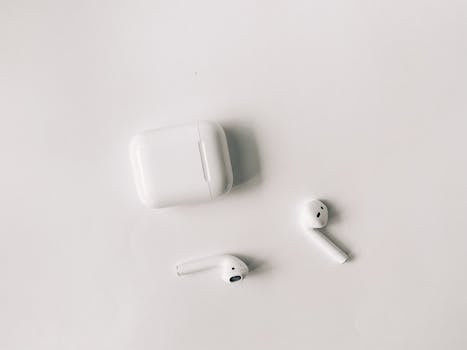

Your Apple AirPods are a marvel of portable technology, delivering seamless audio throughout your day. But whether you own the standard AirPods or the noise-canceling power of AirPods Pro, daily use means exposure to earwax, skin oils, dust, and lint. Neglecting cleaning not only looks gross but severely impacts sound quality and can damage your expensive wireless earbuds. Fortunately, restoring your AirPods to like-new condition is easy. We’ll show you the exact tools and techniques you need, straight from the 1apple.xyz tech bench.
Why Regular AirPod Cleaning is Non-Negotiable
Beyond simple aesthetics, proper maintenance protects your investment. Grime buildup on the speaker mesh muffles volume and distorts bass response. Additionally, moisture and dirt in the charging case ports can lead to charging malfunctions, turning your high-tech accessory into a frustrating paperweight.
Gather Your Essential AirPod Cleaning Toolkit
Before you start scrubbing, ensure you have these specific, approved items. Remember: Never use abrasive materials or liquids that can penetrate the speaker grille.
- Soft, lint-free microfiber cloth (essential for the exterior).
- Dry cotton swabs (Q-tips).
- Soft-bristled, dry brush (like a new, soft toothbrush or anti-static brush).
- Toothpick or specialized cleaning putty (highly effective for removing earwax from the mesh).
- A small amount of 70% isopropyl alcohol (for sanitizing the exterior and case).
Step-by-Step: Deep Cleaning Your AirPods and AirPods Pro
The cleaning process differs slightly depending on whether you are tackling the hard plastic of standard AirPods or the silicone tips of the Pro model.
1. Cleaning the Main Earbud Body
This step applies to both models and focuses on the acoustic vents and exterior shell.
- Wipe Down: Gently wipe the exterior shell of each AirPod using a dry microfiber cloth to remove surface oils and dust.
- Sanitize (Optional): Dampen the microfiber cloth slightly with 70% isopropyl alcohol. Wipe the outer surfaces only. Crucially, avoid getting liquid near the mesh speaker grille.
- Attack the Vents: Use a clean, dry cotton swab to clean the microphone openings and acoustic ports along the stem. Do not push the swab deep into the openings.
2. Removing Grime from the Speaker Mesh
This is the most critical step for restoring sound clarity. Be extremely gentle.
- The Brush Method: Using a soft-bristled brush, gently brush the main speaker grille and the smaller vent openings. Always brush away from the center of the grille, lifting debris out rather than pushing it deeper.
- The Toothpick or Putty Method: If hardened earwax (cerumen) remains, use the very tip of a clean toothpick or specialized cleaning tool to carefully scrape large pieces away from the edge of the mesh. Alternatively, dab cleaning putty onto the mesh to gently pull out debris.
3. AirPods Pro Specific: Cleaning Silicone Eartips
If you own AirPods Pro, the silicone tips require special attention for hygiene and proper seal.
- Remove Tips: Gently pull the silicone tips off the earbuds.
- Wash Tips: Wash the removed tips in clean water. You can use a very mild soap if needed.
- Dry Thoroughly: Pat the tips completely dry with a lint-free cloth before reattaching them. **Do not reattach them while damp.**
- Clean the Stem: Wipe the nozzle where the tips connect using a dry cotton swab to ensure no moisture is left behind.
Don’t Forget the AirPods Charging Case
The case is often the dirtiest component, acting as a magnet for pocket lint, dust, and debris, which can interfere with the charging contacts.
- Exterior Cleaning: Use the microfiber cloth, lightly dampened with 70% isopropyl alcohol, to wipe down the exterior plastic of the case.
- Cleaning the Ports: The Lightning port and the hinge are magnets for lint. Use the soft brush or a dry cotton swab to gently sweep away debris.
- Addressing Charging Contacts: Check the two small charging contacts inside the earbud depressions. If they look dirty, gently use a dry cotton swab to wipe them clean. Never use metal tools or anything abrasive inside the case.
Pro Tips for Sanitizing and Long-Term Maintenance
For optimal hygiene, especially if you share your Apple wireless earbuds or use them after workouts, follow these maintenance tips.
- UV Sanitizers: Consider investing in a UV sanitizer box designed for small electronics. These devices kill germs without using harsh liquids.
- Weekly Quick Clean: Perform a quick wipe-down with a dry cloth every few days, preventing grime from hardening on the speaker mesh.
- Storage Strategy: Avoid storing your AirPods in loose, dirty pockets. Use a dedicated compartment in your bag or a protective silicone sleeve for the charging case to minimize lint collection.
Final Thoughts
Keeping your AirPods clean isn’t just about preserving their sleek, iconic Apple design; it’s about ensuring consistent, high-fidelity sound and protecting the delicate electronics inside. By dedicating five minutes once a month to this cleaning routine, you’ll extend the lifespan of your wireless earbuds, maintain excellent sound quality, and ensure the best possible hygiene. Happy listening!